Guide · 4 min
Read & listen.
What you get
Books, audiobooks, and podcasts at read.elishalucero.com. Same Plex sign-in you use everywhere else on Moonrock. One password to remember.01Step one · 30 seconds
Sign in with Plex.
One sign-in across Moonrock. If you can open Plex, you can open Read.
02Step two · pick your device
Install the app.
Same server URL on every device: https://read.elishalucero.com.
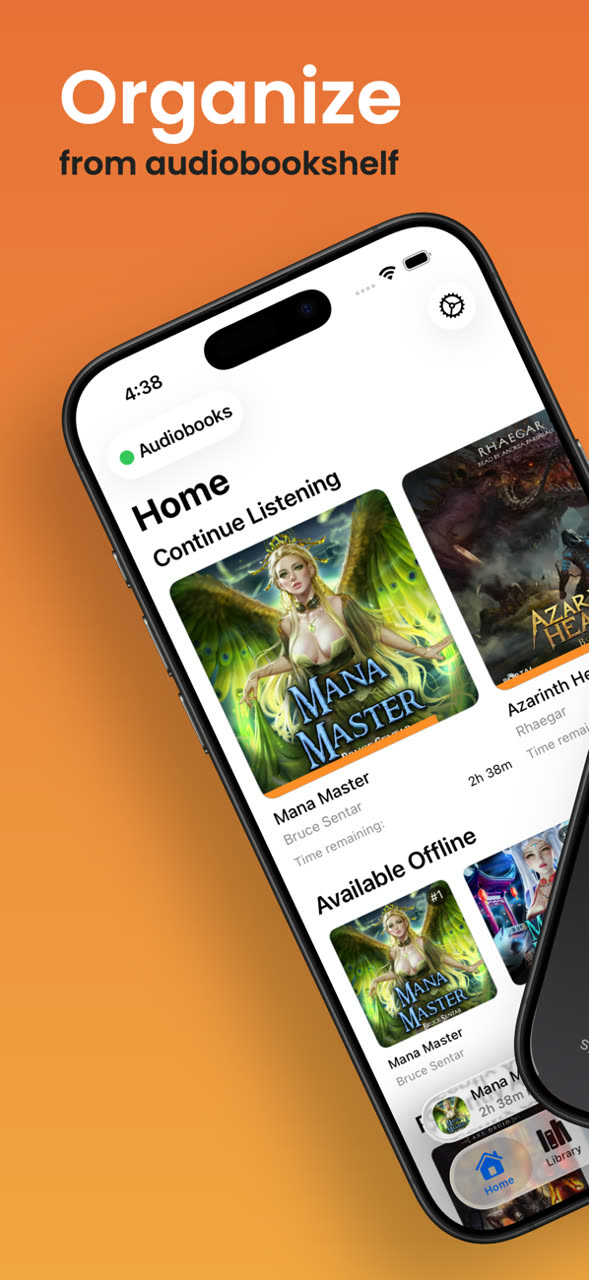
iPhone & iPad · AudioBooth
AudioBooth is the iOS client built for AudioBookshelf. Audiobooks, ebooks, and podcasts in one app. CarPlay works, and offline mode is clean.
- 01Install AudioBooth from the App Store.
- 02Open it, tap Add Server, paste
https://read.elishalucero.com. - 03Sign in with Plex when prompted. You're in.
- 04Tap any title to stream. The cloud icon downloads it for offline.
▶ install + sign in
03Step three · the one tip that matters
Send to Kindle.
Pair your Kindle email once (see the Kindle tab above). After that, every ebook pushes to your device in under a minute. Full walk-through is coming as its own guide.
04If things go sideways
Trouble shooting.
I don't have a login.+
Start with the Plex guide. Once you're in Plex, Read lets you in too.
How do I request a book or audiobook?+
Can Elisha pull from my Goodreads?+
Yes, message her to set up shelf sync. She watches your Want-to-Read and adds new books automatically. Totally optional.
App won't connect.+
Check the URL is exactly
https://read.elishalucero.com, with https and no trailing slash. Force-quit, reopen. If it still sticks, reinstall.♥
Still stuck? Text Elisha or drop into the Discord.
◇ Quick reference
Which app?
Sync everywhere
Your place in the book, bookmarks, and what you've finished all sync automatically. Listen on the phone, pick up on the web at the same spot.